
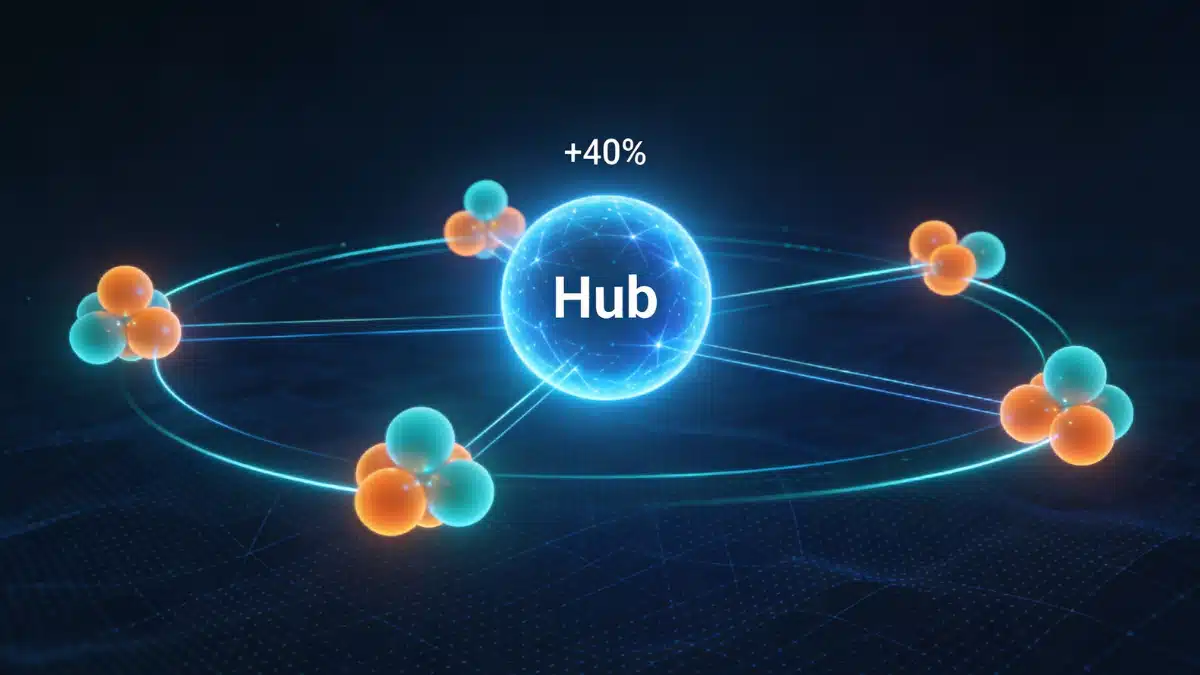
Internal linking is the most underutilized on-page SEO lever that B2B companies consistently overlook. While external backlinks grab attention, strategic internal links distribute authority across your site, establish topical relevance, and guide both users and search crawlers through your content ecosystem. Sites with strong internal linking architectures rank for 40% more keywords than those with weak structures.This comprehensive on-page SEO approach provides the exact methodology for building topic clusters and creating link hierarchies that amplify optimization efforts across your entire website.
Why does internal linking matter for SEO and user experience?
Internal links connect pages within your domain, creating pathways for users and search crawlers to discover content. From an SEO perspective, internal links serve three critical functions: they distribute page rank (link equity) from high-authority pages to strategic targets, they establish topical relationships between related content, and they improve crawl efficiency by helping search engines discover and index pages faster.
Google’s algorithms evaluate internal linking patterns to understand site architecture and content importance. Pages with many quality internal links pointing to them signal higher value and typically rank better than orphaned pages with few or no internal links. Research shows that pages receiving 5-10 internal links rank significantly higher on average than pages with 0-2 internal links.
For users, internal links provide context and navigation. A visitor reading about keyword research who encounters a contextual link to “how to analyze search intent” can deepen their knowledge without leaving your site. This reduces bounce rate, increases time on site, and moves prospects through the buyer journey all metrics that correlate with improved rankings.
We recommend future-proofing your SEO strategy with internal linking. As you publish new content, strategic internal links from established pages pass immediate authority to new pages, accelerating their ranking potential. Without internal links, new pages can take weeks or months to accumulate enough signals to rank competitively.
How do you build a topic cluster architecture?
What is the hub and spoke model?
Topic clusters organize your content into pillar pages (hubs) that cover broad topics comprehensively, supported by cluster pages (spokes) that dive deep into specific subtopics. Each cluster page links back to the pillar, and the pillar links to all its clusters, creating a tight topical network.
This architecture accomplishes multiple SEO objectives simultaneously. It signals to search engines that you have comprehensive expertise on a subject, it distributes authority efficiently from the pillar to supporting pages, and it creates clear navigation paths for users exploring related topics.
For a B2B SaaS company, a pillar page might be “complete guide to marketing automation,” with cluster pages covering “email workflow automation,” “lead scoring systems,” “CRM integration best practices,” and “marketing automation ROI metrics”. Each cluster targets a specific long-tail keyword while supporting the pillar’s broader topic.
How do you structure pillar and cluster relationships?
Your pillar page should comprehensively cover the main topic in 2,500-4,000 words, with sections that introduce each subtopic. Within those sections, include contextual internal links to the corresponding cluster pages. These links should use descriptive anchor text that includes the cluster page’s target keyword.
Example structure within a pillar page section: “Email workflow automation streamlines repetitive tasks and ensures consistent prospect communication. [Strategic email automation can increase lead conversion rates by 50% while reducing manual effort by 70%, but only when workflows align with buyer journey stages and trigger logic matches prospect behavior patterns].”
The bracketed sentence would link to your cluster page on email workflow automation, providing context about what users will find on that page while passing authority and topical relevance.
Cluster pages should link back to the pillar page early typically in the introduction using anchor text that includes the pillar’s main keyword. This bidirectional linking reinforces the relationship and distributes authority in both directions.
We recommend cluster pages also link to other related clusters within the same topic cluster, creating a web of topical connections. This is called horizontal linking and strengthens the entire cluster’s authority on the subject.
What are internal linking best practices for maximum SEO impact?
How should you use anchor text effectively?
Anchor text is the clickable text of a hyperlink. It provides context to search engines about the linked page’s content. Generic anchor text like “click here” or “read more” wastes an opportunity to signal relevance.
Effective internal link anchor text includes the target page’s primary keyword or a close semantic variation. If you’re linking to a page about “B2B SEO strategy,” your anchor text might be “comprehensive B2B SEO strategy framework” or “developing an effective B2B SEO approach.”
Vary your anchor text across multiple links to the same page. Exact-match repetition looks manipulative. If you link to your keyword research guide five times across different pages, use variations: “keyword research methodology,” “how to conduct keyword research,” “keyword analysis framework,” “finding high-intent keywords,” and “keyword research guide.”
Include surrounding context that explains why the link is relevant. Don’t drop isolated keywords as links. Instead: “our keyword research guide provides step-by-step instructions for identifying high-intent keywords that convert” rather than just linking the words “keyword research.”
Keep anchor text concise no more than five words. This ensures clarity and prevents dilution of the link’s purpose. The anchor text should clearly describe what the user will find when they click.
How do you link from high-authority pages?
Not all pages on your site carry equal authority. Homepage, popular blog posts with external backlinks, and pages ranking on page 1 accumulate more page rank than new or low-traffic pages. Strategic internal linking channels this authority to pages you want to rank.
Identify your highest-authority pages using tools like Ahrefs or Moz, which provide page-level authority scores. Then audit those pages to ensure they link to your priority target pages product pages, service pages, or content targeting high-value keywords.
For example, if you have a blog post ranking #1 for “content marketing strategy” that drives 2,000 monthly visitors, adding strategic internal links from that post to lower-ranking pages can pass significant authority and improve their positions.
Update high-authority content quarterly to add links to new strategic pages. This keeps authority flowing to your freshest, highest-priority content.
What is optimal link depth?
Link depth refers to how many clicks it takes to reach a page from the homepage. Pages closer to the homepage (1-2 clicks) typically rank better than those buried 4-5 clicks deep because they accumulate more page rank and get crawled more frequently.
Keep strategic pages within 3 clicks of your homepage. High-value service pages, cornerstone content, and pages targeting competitive keywords should be easily accessible. Use navigation menus, footer links, or homepage content sections to provide direct links when appropriate.
We recommend auditing orphaned pages pages with zero or very few internal links and integrating them into your linking structure or redirecting them to related pages if they provide minimal value. Orphaned pages rarely rank well because they lack authority and often go uncrawled.
How many internal links should you include?
Include 2-5 contextual internal links per 1,000 words of content. This ratio provides value to readers without overwhelming them with excessive links that reduce the authority passed per link.
Prioritize quality over quantity. Five highly relevant, contextual internal links outperform 20 random links inserted without strategic purpose. Each link should provide genuine value: answering a related question, offering deeper information, or guiding users to the next logical step.
Place links naturally within sentences where users would benefit from additional context. Don’t cluster all links in one paragraph or dump them in a “related posts” section at the end. Distribute them throughout the content based on topical relevance.
Should you link deep or only to top-level pages?
Avoid the common mistake of only linking to homepage, main category pages, or pillar content. Deep linking to specific blog posts, detailed guides, and niche topic pages distributes authority more evenly and creates a richer content network.
When referencing a specific concept, link to the most relevant page addressing that concept, even if it’s a less prominent page on your site. If you mention “optimizing core web vitals,” link to your detailed technical guide on that topic rather than a general “technical SEO” category page.
Deep linking also improves user experience by taking visitors directly to the information they need rather than forcing them to navigate through multiple pages to find it.
[Before implementing major changes to your site’s SEO strategy, conduct a comprehensive audit to identify which pages already have strong authority and which strategic pages need internal linking support to improve their competitive positioning].
How do you audit and improve your internal linking structure?
What does Google Search Console reveal?
Google Search Console’s “links” report shows which pages receive the most internal links. Navigate to links > top linked pages to identify your most internally linked pages.
Compare this list against your strategic priorities. Are your most important pages receiving strong internal link support? Or are outdated blog posts receiving more links than high-value service pages?
The “top linking pages” report reveals which pages link out most frequently. These are your authority distributors use them strategically to link to pages you want to boost.
How do you use crawl tools for analysis?
Screaming Frog crawls your entire site and generates comprehensive internal linking reports. Key metrics to analyze: inlink count shows how many internal links point to each page (pages with 0-1 inlinks are orphaned or poorly integrated), outlink count shows how many links each page contains (pages with 0 outlinks represent dead ends in your navigation flow), and link depth reveals how many clicks it takes to reach each page from your homepage (pages at depth 4+ need better integration).
Export this data to identify patterns: clusters of related content that should link together but don’t, high-authority pages that aren’t linking strategically, and navigation issues that leave valuable content isolated.
What should manual content audits cover?
Review your top 20 organic landing pages manually to identify internal linking opportunities. For each page: does it link to related pillar content? Does it include 2-5 contextual internal links per 1,000 words? Are the anchor texts descriptive and keyword-relevant? Do the links guide users logically through related topics?
Update content systematically, adding strategic internal links where gaps exist. Prioritize high-traffic pages first, as improvements to these pages yield the greatest impact.
What internal linking mistakes hurt SEO?
Why is repeated anchor text harmful?
Linking to your homepage 50 times with the exact anchor text “SEO services” creates an unnatural pattern that triggers spam filters. Vary your anchor text across different instances, even when linking to the same page.
For your homepage, rotate between branded anchors (“company name”), descriptive anchors (“enterprise SEO solutions”), and keyword variations (“B2B search engine optimization”).
How does over-linking damage performance?
Linking every other sentence creates cognitive overload and dilutes the authority passed per link. Users trained to ignore excessive links will miss truly valuable ones.
Be selective. Link only when the connection genuinely adds value: answering a question the current page doesn’t address, providing deeper detail on a referenced concept, or guiding users to the next logical step in a process.
What happens when you neglect link maintenance?
Broken internal links damage user experience and waste crawl budget. As you update URL structures, delete old content, or restructure your site, internal links break.
Run quarterly site crawls with Screaming Frog or Ahrefs to identify and fix broken internal links. For deleted pages, implement 301 redirects to the most relevant existing page rather than leaving 404 errors.
Why do template links carry less weight?
Navigation links, sidebar widgets, and footer links have SEO value, but contextual links within body content carry more weight. Search engines recognize that editorial links within main content represent stronger endorsements than template-based links.
Prioritize in-content contextual links for SEO impact. Use sidebar and footer links for site-wide navigation and discoverability, but don’t rely on them exclusively for internal linking strategy.
[Understanding how to measure your SEO ROI helps you prioritize which internal linking improvements generate the highest return on investment by tracking ranking improvements and traffic increases after implementing strategic link changes].
Internal linking transforms isolated pages into a coherent content ecosystem that amplifies authority, establishes expertise, and guides users through strategic journeys. The difference between websites that dominate competitive B2B niches and those that struggle often comes down to internal linking architecture.
Focus on building topic clusters with clear pillar-to-cluster relationships, using descriptive anchor text that reinforces topical relevance. Distribute 2-5 contextual links per 1,000 words from high-authority pages to strategic targets, ensuring every link serves both user navigation and SEO objectives.
Combined with well-structured content hierarchies and strategic keyword placement throughout your pages, internal linking multiplies the impact of every optimization effort while establishing the comprehensive topical coverage that modern search algorithms reward.