
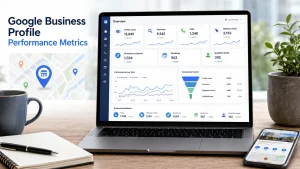
Google Business Profile performance metrics show how customers discover your profile on Search and Maps, what actions they take, and where the profile may be leaking leads. The most useful metrics are not views alone. They are searches, profile views, calls, website clicks, directions, bookings, messages, and qualified leads measured together.
Many local businesses read performance data backwards. They celebrate more views, then wonder why the phone is quiet. Or they panic when views drop, even though calls and qualified bookings are up. The profile is not a billboard. It is a local conversion asset.
This guide explains which Google Business Profile performance metrics matter, how to interpret them, and how to decide what to improve next. It connects directly to the pillar on Google Business Profile conversion optimization and the tracking guide on how to track Google Business Profile leads.
What Google Business Profile performance data includes
Google’s Business Profile performance documentation explains that performance data helps owners understand how people discover a profile on Search and Maps and what actions they take after finding it. The available report can include views, searches, directions, calls, website clicks, messages, bookings, products, menus, and offers depending on the business type and features enabled.
Not every metric appears for every business. A restaurant may see menu interactions. A service business may care more about calls and website clicks. A business using a booking provider may see booking data, while a business using a custom booking link may need separate tracking.
Use this hierarchy:
| Metric group | What it means | Business question |
|---|---|---|
| Discovery | Searches and views | Are the right people finding us? |
| Engagement | Clicks, calls, directions, messages, bookings | Are searchers taking action? |
| Conversion | Forms, booked calls, qualified leads | Are actions turning into opportunities? |
| Revenue | Closed jobs, retained clients, lifetime value | Is the profile producing business value? |
The mistake is judging the first layer without the others. Visibility is useful only when it creates the right actions.
Searches: what people used to find you
Searches show the terms people used before your Business Profile appeared. This metric helps reveal search intent, demand patterns, and possible gaps in your profile positioning.
Search data is not a keyword rank tracker. Google notes that search queries appear when the profile shows for a search, and that owners cannot directly manage those queries. Treat searches as demand clues, not commands.
Use searches to ask:
- Are people finding us for our core services?
- Are too many searches unrelated to what we sell?
- Are branded searches growing over time?
- Are emergency, near-me, or service-specific searches increasing?
- Do new search terms suggest a service page or profile update?
Example interpretation:
| Search pattern | Likely meaning | Action |
|---|---|---|
| More branded searches | Awareness is improving | Protect reputation and conversion path |
| More service searches | Relevance is improving | Strengthen service pages and calls to action |
| Many irrelevant searches | Profile may be too broad | Clarify categories, services, and content |
| High-intent searches but few calls | Trust or CTA issue | Review photos, reviews, hours, and phone visibility |
If search terms point to ranking problems, connect this analysis with your local SEO ranking factors checklist. Performance data tells you what happened. Ranking work explains why visibility may be weak.
Views: useful, but easy to overvalue
Views show how many people viewed your Business Profile on Search and Maps. Google’s documentation notes that this is a unique visitor style metric and can differ from profile or email notification numbers because of how visits are counted across devices, platforms, and days.
Views are useful because they show profile exposure. But they are not a business outcome. A profile can get more views because it appeared for broad, low-intent searches. That may look good in a report while producing poor leads.
Read views with context:
| View trend | Action trend | Interpretation |
|---|---|---|
| Views up, actions up | Healthy growth | Continue current profile and SEO work |
| Views up, actions flat | Weak conversion | Improve offer clarity, photos, services, CTA |
| Views down, actions up | Better intent | Focus on qualified leads, not panic |
| Views down, actions down | Visibility or demand issue | Review rankings, competition, categories, seasonality |
The cleanest metric is not total views. It is action rate: customer actions divided by profile views. That ratio shows whether visibility is becoming intent.
Calls: the fastest commercial signal
Calls are often the strongest performance metric for service businesses. Google defines call interactions as clicks on the call button on your Business Profile, and the metric requires a phone number on the profile.
But call clicks are not the same as qualified calls. A call can be spam, outside the service area, price-only, or unrelated. This is why call volume should always be reviewed with call quality.
Use a simple call quality table:
| Call type | Meaning | Decision |
|---|---|---|
| Qualified service call | Good fit and real need | Strengthen same service path |
| Wrong service call | Demand mismatch | Clarify services and descriptions |
| Outside service area | Geography mismatch | Improve service area messaging |
| Price-only caller | Commercial friction | Add process, ranges, or qualification language |
| Spam or vendor call | Noise | Exclude from performance judgment |
If calls are rising but booked jobs are flat, the problem may not be Google Business Profile visibility. It may be phone handling, offer clarity, pricing fit, or lead qualification.
Website clicks: the bridge to deeper evaluation
Website clicks show how many people clicked the website link on your Business Profile. This is one of the most important metrics when the sale requires education, proof, forms, bookings, or service pages.
A website click means the visitor wanted more information. It does not mean the website did its job.
Check three things:
- Destination match: Does the profile link point to the right page?
- Message match: Does the page continue the same promise?
- Lead path: Is the next action obvious on mobile?
For example, sending every profile visitor to the homepage often hides the conversion path. A better setup sends service-specific profiles to service pages, location profiles to location pages, and quote-focused profiles to a short estimate page.
The article on tracking Google Business Profile leads covers the measurement layer. For performance interpretation, the key question is simple: did website clicks become tracked leads?
Directions: strong for visit-based businesses, weaker for some service brands
Direction requests show how many people asked for directions to the business. Google says the directions metric is adjusted to better represent unique direction requests and account for cases like multiple taps, cancellations, and spam.
For restaurants, clinics, stores, showrooms, and offices, direction requests can be a strong intent metric. For service area businesses, it may be less central. A plumber, roofer, or home service company may care more about calls and quote requests.
Use directions based on business model:
| Business type | Direction requests mean |
|---|---|
| Retail store | Possible foot traffic |
| Restaurant | Visit intent |
| Clinic or office | Appointment or visit intent |
| Showroom | Commercial evaluation |
| Service area business | Often lower priority unless customers visit office |
If direction requests are high but visits are weak, check hours, parking information, photos, address accuracy, and the customer experience after arrival.
Bookings, messages, products, menus, and offers
Some performance metrics depend on features available to your business type. Google lists bookings, messages, product views, menu interactions, and offer interactions among possible Business Profile metrics.
These should be interpreted by business model:
| Metric | Best fit | How to read it |
|---|---|---|
| Bookings | Clinics, salons, restaurants, appointment services | High-intent conversion signal |
| Messages | Service businesses with fast response systems | Useful only if response time is strong |
| Product views | Retail and local inventory businesses | Product interest, not guaranteed purchase |
| Menu interactions | Restaurants and food businesses | Evaluation before visit or order |
| Offer interactions | Promo-driven businesses | Interest in a specific deal |
Google’s booking provider documentation notes that businesses can use supported providers or add their own link, and that performance data is not available for custom links. That detail matters. If you use custom booking links, you need UTM tracking and your own booking analytics.
Google’s Business Profile posts documentation also explains that posts can share updates, offers, and events with customers on Search and Maps. If offer interactions are part of your profile strategy, connect post performance to actual leads or bookings rather than judging it as a vanity metric.
The performance scorecard that actually helps decisions
A good scorecard should answer what changed, why it may have changed, and what to do next. It should not be a pile of disconnected numbers.
Use this monthly scorecard:
| KPI | Source | What good looks like | If weak, improve |
|---|---|---|---|
| Searches | GBP performance | More relevant service terms | Categories, services, content, local pages |
| Views | GBP performance | Stable or growing qualified visibility | Rankings, competition, profile completeness |
| Action rate | Calculated | More actions per profile view | CTA, photos, reviews, service clarity |
| Calls | GBP performance and call log | More qualified calls | Phone handling, hours, service fit |
| Website clicks | GBP performance and GA4 | More qualified sessions | Link destination, landing page, tracking |
| Bookings or forms | Provider, GA4, CRM | More completed requests | Booking UX, form friction, proof |
| Qualified leads | CRM or sheet | More fit leads | Offer clarity, service area, qualification |
| Closed revenue | CRM or sales | Better commercial value | Sales process and offer fit |
Add one short note under the table each month:
This month, profile views rose 18 percent, but action rate dropped from 6.2 percent to 4.1 percent. The next test is to replace the homepage link with the emergency repair page and add three service proof photos.That note matters more than a colorful chart. It turns reporting into action.
How to diagnose metric combinations
Metrics become powerful when you read them together. One number alone rarely tells the truth.
High views, low actions
This usually means the profile is visible but not persuasive. Improve photos, reviews, service descriptions, posts, and the primary call to action. Also check whether the profile appears for too many broad searches.
Low views, high action rate
This is often a visibility problem, not a conversion problem. The profile converts the people who find it, but not enough people see it. Improve local SEO fundamentals, categories, service pages, citations, and location relevance.
High website clicks, low leads
The profile is creating interest, but the website is losing demand. Check page speed, mobile layout, offer clarity, phone visibility, forms, trust proof, and whether the page matches the profile promise.
High calls, low booked jobs
The profile is producing phone intent, but the call quality or sales process is weak. Review call recordings or notes, service area mismatches, pricing conversations, and receptionist scripts.
More searches, fewer views
Demand may be shifting, or the profile may be appearing less often for important terms. Compare search themes with ranking checks and competitor movement.
How often to review performance metrics
Review Google Business Profile performance metrics monthly. Daily checks create noise. Weekly checks can be useful for active campaigns, but many local businesses need a full month to see enough data.
Use three review windows:
| Window | Purpose |
|---|---|
| Month over month | Short-term changes and tests |
| Quarter over quarter | Seasonal and strategic trends |
| Year over year | True growth or seasonal comparison |
Always write down what changed on the profile or website. If you changed the primary link, added photos, started posts, updated services, or changed hours, note the date. Without a change log, you will not know which action affected the metrics.
FAQ
What are Google Business Profile performance metrics?
Google Business Profile performance metrics are the data points that show how people find and interact with your profile on Google Search and Maps. They can include searches, views, calls, website clicks, direction requests, messages, bookings, product views, menu interactions, and offer interactions depending on the business type.
Which Google Business Profile metric matters most?
The most important metric depends on your business model. Service businesses often prioritize qualified calls, website leads, and bookings. Retail or restaurant businesses may care more about direction requests, menu interactions, product views, and offer engagement. The best metric is the one closest to qualified revenue.
Are profile views a ranking metric?
Profile views are a visibility metric, not a direct ranking metric. They show how many people viewed your profile on Search and Maps. To understand ranking, combine views with search terms, local rank checks, relevance, distance, prominence, and competitor movement.
Why did my Google Business Profile views drop?
Views can drop because of seasonality, demand changes, competitor movement, category changes, reduced visibility, or changes in how Google counts and displays profile data. Do not judge views alone. Compare calls, clicks, bookings, and qualified leads before deciding whether performance is actually worse.
How do I improve my Google Business Profile performance metrics?
Start with the weakest part of the funnel. If views are low, improve local SEO visibility. If views are strong but actions are weak, improve profile trust and CTAs. If actions are strong but leads are weak, improve landing pages, tracking, phone handling, and service qualification.
Conclusion
Google Business Profile performance metrics are useful only when they lead to better decisions. Searches and views show discovery. Calls, clicks, directions, bookings, messages, products, menus, and offers show action. Qualified leads and revenue show business impact.
The strongest local SEO reporting connects all three layers. Do not celebrate visibility without action. Do not celebrate action without lead quality. Do not ignore a smaller traffic source if it produces better customers.
Next, this cluster should move into service-level optimization: how to make Google Business Profile services clearer, more commercial, and better aligned with landing pages. Before that, update the pillar on Google Business Profile conversion optimization and the tracking guide on Google Business Profile lead tracking to link toward this metrics guide.
If Decaseo is reviewing a local SEO account, this scorecard should become the monthly decision layer. It keeps the conversation focused on what changed, what mattered, and what to improve next.