
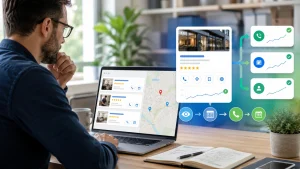
Google Business Profile conversion optimization is the process of turning profile visibility into measurable customer actions: calls, website visits, bookings, direction requests, quote forms, and qualified leads. Visibility matters, but it is only the first half of local SEO. The second half is making the profile easy to trust, easy to understand, and easy to act on.
Most local businesses stop once the profile is verified and visible. That is where money leaks out. A profile can rank, collect impressions, and still fail because the services are vague, photos do not answer buyer doubts, posts have no action, the booking link sends people to a slow generic page, or nobody tracks which actions became real revenue.
If your foundation is still weak, start with the broader guide on local SEO for service businesses. If your profile is already live and getting views, this guide shows you how to convert that attention into a cleaner pipeline of local leads.
What Google Business Profile conversion optimization really means
Google Business Profile conversion optimization is not a trick to force more rankings. It is a system for improving what happens after a customer finds you on Search or Maps. The practical goal is simple: more qualified actions from the visibility you already have.
Think of the profile as a small local landing page inside Google. It has a business name, categories, reviews, services, photos, posts, calls to action, website links, directions, bookings, and performance data. Each part either reduces friction or creates doubt.
The mistake is treating all profile actions as equal. A direction request, a website click, and a booking can all be useful, but they do not have the same business value. A plumbing company may care most about calls. A clinic may care about bookings. A multi-location service brand may care about location-level lead quality.
Use this hierarchy:
| Layer | Question to answer | Example metric |
|---|---|---|
| Visibility | Are the right people finding us? | Search terms, views on Search and Maps |
| Trust | Do we look credible enough to contact? | Review quality, photo quality, profile completeness |
| Action | Are people taking the next step? | Calls, website clicks, bookings, directions |
| Revenue | Did the action become a customer? | Qualified leads, booked jobs, closed revenue |
Google’s own Business Profile performance report separates views, searches, and customer interactions such as calls, website clicks, directions, bookings, products, menus, and offers. That distinction matters. Views tell you demand exists. Interactions tell you whether the profile is doing useful work.
If you already run audits, connect this article with your Google Business Profile audit checklist. The audit finds the weak points. Conversion optimization tells you which weak points are costing enquiries.
Start with the conversion path, not the profile fields
The first rule is to design the path before editing details. A profile that says everything usually converts worse than a profile that guides one clear next action. Local buyers are not reading for pleasure. They are trying to answer four questions quickly:
- Can this business solve my exact problem?
- Does it serve my location?
- Can I trust it?
- What should I do next?
Map the path from search to contact:
- Query intent: What did the person search before seeing your profile?
- Profile proof: What confirms you are relevant and legitimate?
- Action choice: Should they call, book, request a quote, get directions, or visit a landing page?
- Destination: Where does the click or booking link send them?
- Measurement: How will you know whether the action produced a real lead?
This is where many profiles break. The service list says “repairs”, the photos show a logo and a building, the website link goes to the homepage, and the phone call is answered without asking where the customer came from. Nothing is technically broken, but the conversion path is soft.
For a service business, a stronger path looks like this:
- Search: “emergency roof repair near me”
- Profile proof: roofing category, emergency repair service, real work photos, recent reviews mentioning leaks and response time
- Action: call now or request inspection
- Destination: roof repair page with phone number, short form, service area, proof, and availability expectations
- Measurement: UTM-tagged profile link, call source note, booked inspection count
That is Google Business Profile conversion optimization in practice. It makes the profile match the customer’s moment of need.
Make the profile promise specific enough to act on
A profile converts when a customer understands the offer without translating vague language. “Quality service” does not help. “Same-week AC repair in Austin for residential units” does.
Your promise should appear consistently across the business description, services, photos, posts, and destination page. Do not turn the profile into keyword soup. Use the language customers would use when deciding whether to contact you.
Use categories and services as conversion signals
The primary category still gives Google and users a strong clue about what the business is. But the service section is where you can make the offer concrete. Services should not be a random list of everything you do. They should be organized around high-intent buyer problems.
For example:
| Weak service label | Stronger service label |
|---|---|
| Cleaning | Move-out cleaning |
| Repair | Emergency garage door repair |
| SEO | Google Business Profile optimization |
| Consulting | Multi-location local SEO audit |
If you need the broader setup context, use the existing guide on how to optimize your Google Business Profile. For this conversion-focused article, the key point is sharper: every listed service should help a buyer recognize their problem and take action.
Align service pages with profile actions
Do not send every website click to the homepage. When possible, point important profile links toward the closest matching page: service, location, booking, estimate, or contact page.
A good destination page should repeat the same offer the user saw on the profile, show proof, answer pricing or process concerns, and offer one obvious action. If the profile says “book a consultation” but the page starts with generic company history, the user has to work too hard.
Avoid unsupported ranking claims
Conversion work should be honest. Better photos, clearer services, and stronger posts can improve trust and action rate. They should not be sold as magic ranking factors. Rankings depend on relevance, distance, prominence, competition, and the quality of the broader local SEO system. Your existing local SEO ranking factors checklist is the better place to explain ranking mechanics.
Build trust with proof that answers buyer objections
Trust is the bridge between a view and an action. A local customer does not need a perfect profile. They need enough proof to feel safe choosing you over the next result.
The fastest way to improve trust is to match proof to objections:
| Buyer objection | Profile proof to add |
|---|---|
| “Are they real?” | Exterior, team, work-in-progress, vehicle, office, or jobsite photos |
| “Do they do my type of job?” | Service-specific photos and service descriptions |
| “Will they respond quickly?” | Recent reviews mentioning speed, response, or availability |
| “Are they professional?” | Clean branding, accurate hours, complete services, polished posts |
| “Can I trust the outcome?” | Case snippets, before-and-after examples, review themes |
Google’s business photo guidance recommends clear, well-lit, realistic photos and category-specific images such as exterior, interior, product, work, food, common areas, rooms, and team photos depending on the business. For service businesses, “photos at work” and team photos often matter more than polished stock-style images because they show the real delivery environment.
Use a simple photo system:
- Recognition photos: exterior, vehicle, team, front desk, tools, uniforms.
- Service proof photos: the work being done, before-and-after moments, common job types.
- Trust photos: team, safety process, branded materials, real locations.
- Decision photos: examples that help a customer say “this is exactly what I need.”
Reviews also belong here, but do not turn this article into a review strategy piece. You already have a strong article on customer reviews and local SEO. In this cluster, reviews are used as conversion proof: pull common phrases from reviews and make sure the profile, posts, and service descriptions reinforce the same strengths.
Use posts as conversion prompts, not mini blog articles
Google Business Profile posts help owners share updates, offers, announcements, and event details on Search and Maps. Google’s Business Profile posts documentation describes update, offer, and event post types, and notes that posts can include media and action buttons when available. That makes posts useful for conversion when they push one clear next step.
The common mistake is posting generic announcements:
“We are proud to serve the community. Contact us today.”
That is polite, but it does not answer a buying question. A stronger post connects a timely problem to an action:
“Spring AC tune-up slots are open this week. If your system is making noise, blowing warm air, or cycling too often, book a diagnostic before the first heat wave.”
Use this monthly mix:
| Post type | Purpose | Example angle |
|---|---|---|
| Problem post | Capture urgent demand | “3 signs your drain line needs service this week” |
| Proof post | Reduce risk | “Before-and-after: driveway restoration in 48 hours” |
| Offer post | Create action | “Free estimate for roof repairs after storm damage” |
| Process post | Build confidence | “What happens during a first inspection?” |
| Seasonal post | Match demand timing | “Pre-winter furnace safety check” |
Keep posts specific, local, and action-led. If a post does not make the next step clearer, it is probably noise.
One practical caveat: post visibility and available features can vary by business type, region, device, and Google interface changes. That is why posts should not be your entire conversion strategy. They are a supporting prompt inside a wider profile system.
Track actions like a business, not like a dashboard collector
The performance report is useful, but it is not the full truth. Google can show calls, website clicks, direction requests, bookings, product views, offer interactions, and other profile interactions where available. But a click is not automatically a qualified lead.
Your measurement system should answer three questions:
- Which actions increased?
- Which actions became real leads?
- Which leads became customers?
The basic tracking setup
Use this starting setup for most service businesses:
- Add UTM parameters to the website link on the profile.
- Use a dedicated booking or quote page where possible.
- Track form submissions and bookings in GA4.
- Train the phone team to tag “Google Business Profile” as a source when callers mention Google or Maps.
- Review performance monthly, not daily.
A practical UTM example:
https://example.com/contact/?utm_source=google&utm_medium=organic&utm_campaign=gbp&utm_content=primary-linkIf you have multiple locations, add the location name:
https://example.com/austin/contact/?utm_source=google&utm_medium=organic&utm_campaign=gbp&utm_content=austin-profileFor multi-location businesses, connect this with your multi-location local SEO playbook. The conversion question becomes more complex when one location gets more views but another produces better leads.
What to review every month
Do not drown in metrics. Review a compact scorecard:
| Metric | Why it matters | Action if weak |
|---|---|---|
| Profile views | Demand and visibility | Check rankings, categories, competition |
| Website clicks | Interest in deeper evaluation | Improve link destination and offer clarity |
| Calls | Direct intent | Check hours, phone handling, service fit |
| Bookings | High-intent conversion | Improve booking page and availability |
| Direction requests | Local visit intent | Check address, local fit, photos, hours |
| Qualified leads | Real business value | Improve service match and screening |
The most important number is not usually total views. It is qualified actions per meaningful view. A smaller profile with fewer views and better lead quality can outperform a visible profile that attracts the wrong demand.
Fix the booking and contact experience
Bookings are where good profiles often lose easy money. Google allows eligible businesses to set up bookings through supported providers or add their own booking link. Google also notes that booking performance data may depend on the provider or link type, so you need your own tracking discipline too.
A conversion-ready booking path has five traits:
- It matches intent. The booking page should match the service or appointment type promised on the profile.
- It is mobile fast. Most local actions happen on mobile. Slow pages quietly destroy intent.
- It reduces choice overload. Offer a few clear appointment types, not a maze.
- It confirms next steps. Tell the user what happens after booking.
- It tracks source and outcome. The team should know which bookings came from the profile and which became customers.
For service businesses that do not use bookings, the same logic applies to calls and forms. A contact page should include:
- A clear phone number.
- A short quote form.
- Service area confirmation.
- Hours or response expectations.
- Trust proof near the action.
- A privacy note if the user shares personal information.
Do not make the profile promise instant help if the contact page says “we reply in 3-5 business days.” The profile and destination page must make the same promise.
Use a monthly conversion optimization workflow
Google Business Profile conversion optimization works best as a monthly operating habit, not a one-time cleanup. The profile changes, competitors change, reviews change, photos age, services evolve, and Google interfaces shift.
Use this 60-minute workflow once per month:
Step 1: Review performance
Look at Search and Maps views, calls, website clicks, bookings, directions, and any available offer or product interactions. Compare the last complete month to the previous month and to the same month last year if you have the data.
Step 2: Check lead quality
Ask sales, reception, or the owner what came from Google. Were the calls relevant? Were the booking requests a fit? Did people ask for services you do not offer? Conversion optimization is not only about more actions. It is about better actions.
Step 3: Audit the promise
Read the profile as if you were a customer in a hurry. Is the main service obvious? Is the service area clear? Is the next action obvious? Do the photos support the service promise?
Step 4: Improve one conversion element
Pick one improvement per month:
- Rewrite three service descriptions.
- Add five service proof photos.
- Publish four action-led posts.
- Replace the homepage link with a better landing page.
- Add UTM tracking.
- Improve the booking page.
- Add proof near the form.
Step 5: Record the change
Keep a simple log:
| Date | Change made | Metric to watch | Review date |
|---|---|---|---|
| June 16 | Added UTM link to contact page | Website clicks and form leads | July 16 |
| July 16 | Added service photos | Calls and website clicks | August 16 |
Without a change log, you will guess. With a change log, you can learn.
Common mistakes that lower profile conversion
Several issues appear again and again in local SEO audits:
- The profile ranks but sends everyone to the homepage. Homepage traffic often has to rediscover the service. A service or quote page usually converts better.
- The services are too broad. “Consulting”, “repair”, and “cleaning” force the buyer to interpret your offer.
- The photos are decorative instead of useful. Logo graphics do less than real proof of team, location, work, and process.
- Posts have no decision value. If the post could apply to any company, it will not move a local buyer.
- Calls are not qualified. A higher call count is not a win if many callers want services you do not provide.
- No source tracking exists. If you cannot connect actions to outcomes, you cannot optimize with confidence.
- The profile is exposed to avoidable risk. If a profile drives real leads, protecting it matters. Use your Google Business Profile defense guide to avoid compliance problems that could interrupt the pipeline.
This is the quiet truth of conversion work: a good profile is not the one with the most fields filled. It is the one that makes the right customer confident enough to act.
Google Business Profile conversion checklist
Use this checklist before you start changing everything at once:
- The primary service is obvious in under five seconds.
- The primary action is clear: call, book, request quote, get directions, or visit page.
- Important services have specific labels and descriptions.
- Website links use UTM parameters.
- The website destination matches the profile promise.
- Photos show real service proof, not only logos or generic images.
- Posts use specific local problems and action buttons where available.
- Reviews support the same claims made in the profile.
- Calls, forms, and bookings are reviewed for lead quality.
- Performance is checked monthly with a written change log.
If you can check eight or more, you have a strong conversion foundation. If you check fewer than five, do not worry about advanced tactics yet. Fix the basics first.
Frequently asked questions
What is Google Business Profile conversion optimization?
Google Business Profile conversion optimization is the process of improving a profile so more visitors take valuable actions, such as calling, booking, requesting directions, clicking to the website, or submitting a lead form. It focuses on trust, offer clarity, action paths, and measurement after the profile is already visible on Search or Maps.
Does optimizing a Google Business Profile for conversions improve rankings?
Not directly in a guaranteed way. Conversion optimization improves what users see and do after finding your profile. Some improvements, such as clearer services, better photos, and stronger reviews, can support relevance and trust, but they should not be treated as ranking shortcuts. For ranking work, use a dedicated local SEO ranking strategy.
What is the most important Google Business Profile conversion metric?
The most important metric depends on the business model. For emergency service businesses, calls may matter most. For clinics, bookings may matter more. For destination businesses, direction requests may be a stronger signal. The best metric is qualified actions that become real customers, not views alone.
Should I link my Google Business Profile to my homepage?
Only if the homepage is the best conversion destination. Many service businesses should link to a stronger page, such as a service page, location page, quote page, booking page, or contact page. The page should match the user’s intent and make the next step obvious.
How often should I optimize my Google Business Profile?
Review performance monthly and make one focused conversion improvement at a time. Monthly optimization is frequent enough to catch problems, refresh proof, and improve tracking without reacting to daily noise. Keep a change log so you can connect profile updates with later performance changes.
Conclusion
Google Business Profile conversion optimization starts after visibility. Ranking puts you in the room. Conversion work helps the right customer choose you.
The practical system is straightforward: clarify the offer, prove trust, guide one action, send users to the right destination, and measure what becomes a qualified lead. Do that every month and the profile becomes more than a local SEO asset. It becomes a measurable acquisition channel.
Next, build the tracking layer. The logical follow-up article in this cluster is the guide to tracking Google Business Profile leads with UTM parameters and GA4. Before that goes live, update your existing Google Business Profile audit checklist and Google Business Profile optimization guide to link toward this new pillar with anchors like “Google Business Profile conversion optimization” and “turn profile views into calls and bookings.”
If you want Decaseo to help turn your profile into a measurable local lead channel, start with a Google Business Profile conversion audit. The audit should identify where views leak, where users hesitate, and which profile actions deserve the next optimization cycle.